Email Marketing for UK Shopify Brands: The Complete Setup Checklist
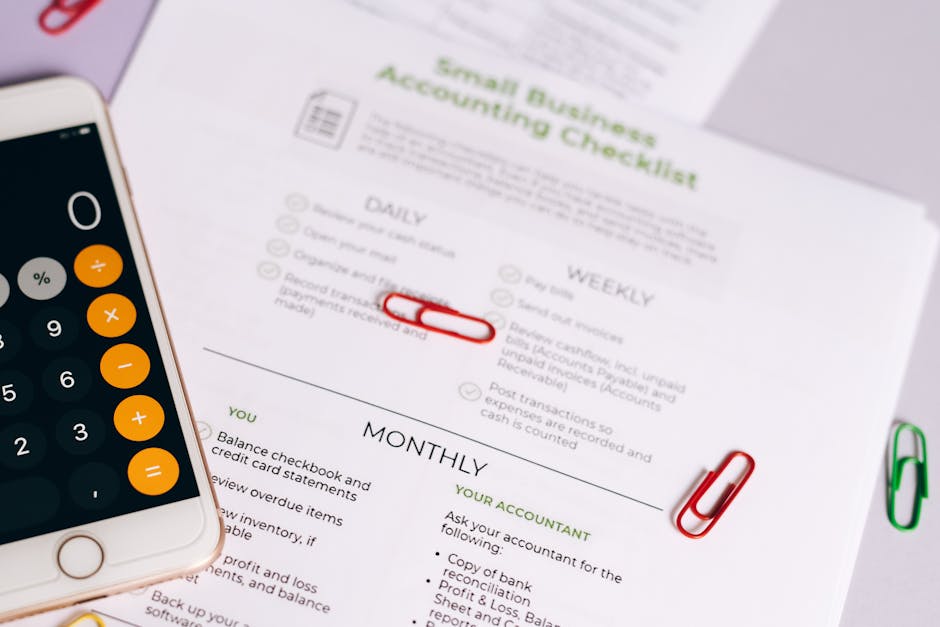
Setting up email marketing properly for a UK Shopify brand is a multi-step process that spans legal compliance, technical configuration, automation builds, and ongoing management. Most brands complete 40–60% of this setup and then wonder why their email programme underperforms.
This checklist covers every task required for a complete, GDPR-compliant, high-performance email marketing setup on UK Shopify — from day one through to ongoing operation.
Section 1: Legal and Compliance Setup
These are non-negotiable for any UK brand. Complete these before sending a single marketing email.
UK GDPR and PECR Foundations
-
Privacy Policy is up to date and UK GDPR compliant. Must include: what data you collect, why you collect it, lawful basis for processing, how long you retain data, who you share it with, and how subscribers can exercise their rights. Should specifically mention email marketing.
-
Marketing consent language is documented. Write out the exact wording you will use on all sign-up forms and opt-in points. Get this reviewed or at minimum checked against ICO guidance before publishing.
-
Cookie consent (if using tracking pixels in email). Open tracking in emails uses a pixel — this is technically data processing. Your privacy policy should disclose this.
-
Data Processing Agreement with your ESP. All major ESPs (Klaviyo, ActiveCampaign, HubSpot, Dotdigital, Mailchimp, Omnisend, Brevo) provide standard DPAs. You must accept or execute these — they do not apply automatically.
-
Data Processing Agreement with any email marketing agency. If you use an agency (like Excelohunt), a DPA is required under UK GDPR.
-
Process documented for data subject rights requests. How will you respond to a subscriber who requests access to their data, or requests deletion? This must be a defined process, not improvised.
-
Consent recording is active in your ESP. Configure your ESP to record consent timestamp, source, and wording for every subscriber. Test this by making a test sign-up and verifying the consent record appears on the contact profile.
Checkout and Sign-Up Compliance
-
Checkout marketing opt-in is unticked by default. In Shopify admin under Settings > Notifications > Email Marketing, ensure the default checkout opt-in is not pre-ticked.
-
Checkout opt-in language is specific. The label next to the checkbox must explicitly say “email marketing” or similar. Not “I agree to receive communications.”
-
All site sign-up forms use compliant consent language. Review every popup, footer form, and landing page sign-up form. Each must have clear opt-in language.
-
No consent bundled with T&Cs. “By creating an account, you agree to receive marketing emails” is non-compliant. Marketing opt-in must be separate.
Section 2: ESP Selection and Technical Setup
Choosing the Right ESP
For UK Shopify brands, the primary ESP options are Klaviyo, Omnisend, Dotdigital, ActiveCampaign, Mailchimp, HubSpot, and Brevo. Selection criteria:
-
ESP selected based on your stage and needs. Early-stage (<£250k revenue): Mailchimp or Omnisend. Growth stage (£250k–£1m): Klaviyo or Omnisend. Scale (£1m+): Klaviyo or Dotdigital. B2B/CRM integration: HubSpot or ActiveCampaign.
-
UK data residency or GDPR compliance confirmed. Most major ESPs process data in the US under Standard Contractual Clauses (SCCs). Verify this is in place for post-Brexit UK GDPR compliance.
-
Account created with correct billing region. GBP billing should be available on most ESPs. Ensure VAT is applied correctly.
Shopify Integration
-
ESP integrated with Shopify store. Use the official Shopify app for your ESP rather than third-party connectors where possible. Klaviyo, Omnisend, Dotdigital, ActiveCampaign, and Mailchimp all have native Shopify apps.
-
Historical data synced. Import historical order data, customer data, and email engagement data from previous activity.
-
Shopify customer tags syncing to ESP. Any Shopify customer tags you use for segmentation should be mapped to corresponding properties or tags in your ESP.
-
Product catalogue syncing correctly. Verify that product images, prices, and URLs sync correctly from Shopify to your ESP. This is critical for flows that display product recommendations.
-
Order events flowing correctly. Confirm that “placed order,” “cancelled order,” “fulfilled order,” and “refunded order” events are flowing from Shopify to your ESP. Test this with a real or test order.
Domain and Deliverability Configuration
-
Custom sending domain configured. Do not send from a generic ESP subdomain (e.g., yourstore.kx-eu.com). Configure a custom sending domain such as email.yourbrand.co.uk.
-
SPF record added to DNS. Your sending domain must have an SPF record authorising your ESP to send on your behalf.
-
DKIM configured and verified. DKIM provides cryptographic verification that emails genuinely come from your domain. Required for strong deliverability.
-
DMARC policy set. Start with p=none for monitoring. Move to p=quarantine then p=reject as you confirm your legitimate sending infrastructure is correctly configured. DMARC protects your domain from spoofing.
-
Domain warmup plan in place. If this is a new sending domain, you must warm it up gradually — starting with small volumes to your most engaged subscribers and scaling up over 4–8 weeks.
-
Google Postmaster Tools set up. Register your sending domain with Google Postmaster Tools to monitor spam rate, domain reputation, and IP reputation for Gmail recipients.
-
Unsubscribe list-management headers enabled. Gmail and Yahoo require list-unsubscribe headers in marketing emails. Verify these are enabled in your ESP settings.
Section 3: List Setup and Segmentation
List Structure
-
Master list or audience created. This is your primary subscriber list in your ESP.
-
Suppression list configured. Hard bounces, spam complaints, and manual unsubscribes should all flow to a suppression list that prevents re-emailing.
-
Engaged segments created: Opened/clicked in last 30 days, 31–90 days, 91–180 days. These segments drive your campaign sending strategy and are essential for deliverability management.
-
Customer segments created: First-time buyers, repeat buyers (2+), VIP (top 20% by spend), never purchased (subscriber only).
-
Category segments created: Based on what product categories subscribers have purchased from or browsed.
-
GDPR/consent segments. If you have subscribers on different consent bases (explicit consent vs soft opt-in), segment them appropriately to ensure you’re only sending appropriate content.
Signup Forms
-
Site popup configured and live. Exit-intent or timed popup with compliant consent language. Targeting settings reviewed (don’t show to existing subscribers).
-
Footer/embedded form live on site. A persistent sign-up option for visitors who don’t trigger the popup.
-
Checkout opt-in confirmed active. Verify in your ESP that the Shopify checkout opt-in is correctly mapped and flowing to your subscriber list.
-
Double opt-in configured (recommended). Set up the confirmation email for double opt-in with branded design and clear instructions.
-
Pop-up A/B testing planned. Plan a test of your popup copy, offer, or timing within the first 30 days of going live.
Section 4: Automated Flows
Priority 1 Flows (Build First)
-
Welcome series — 5 emails. Trigger: new subscriber. Emails: brand welcome + discount delivery (day 0), brand story (day 2), social proof and best-sellers (day 4), discount expiry reminder (day 7), content email (day 14).
-
Abandoned cart — 3 emails. Trigger: cart abandoned (Shopify “started checkout” event). Email 1 at 1 hour, Email 2 at 24 hours, Email 3 at 48–72 hours. GDPR filter: only fire for marketing-consented subscribers.
-
Post-purchase series — 4 emails. Trigger: first order placed. Email 1 (product education, day 2), Email 2 (cross-sell, day 5–7), Email 3 (review request, day 14), Email 4 (second purchase nudge, day 21–30).
Priority 2 Flows (Build in Month 2)
-
Browse abandonment — 2–3 emails. Trigger: product viewed, no add-to-cart within 24 hours. GDPR filter: only fire for marketing-consented subscribers.
-
Win-back sequence — 3–4 emails. Trigger: customer has not purchased in 90/120/180 days (choose based on your category). Include re-consent step for subscribers with 12+ months of no engagement.
Priority 3 Flows (Build in Month 3)
-
Replenishment flow (if relevant). Trigger: X days after purchase of consumable product, where X = average repurchase window minus 5 days.
-
VIP welcome flow. Trigger: customer crosses VIP spend threshold. Welcome to VIP programme, explain benefits.
-
Back-in-stock flow. Trigger: product restocked event from Shopify. Notify subscribers who engaged with the out-of-stock product.
-
Sunset/re-engagement flow. Trigger: no opens or clicks in 90 days. 2-email sequence to re-engage, suppress non-responders.
Flow Quality Checks
-
All flows have correct GDPR filters. Only send to subscribers with a valid marketing consent flag.
-
Flow exclusions are configured. Customers in abandoned cart should be excluded from browse abandonment for the same product. VIP customers should be excluded from standard win-back.
-
All flow emails are mobile-responsive. Test every flow email across mobile, desktop, and dark mode.
-
All flow emails have working unsubscribe links. Not just a footer link — a clearly accessible preference centre.
-
Revenue attribution is enabled. Configure your ESP’s revenue attribution window for flows. Standard: 5-day click attribution.
Section 5: Campaign Templates and Calendar
Template Setup
-
Master email template created. Branded, mobile-responsive. Includes logo, navigation (optional), footer with unsubscribe link, physical address, and social links.
-
Product promotion template. Designed for campaign sends featuring product grids.
-
Sale/urgency template. Designed for Black Friday, January sales, and other promotional events.
-
Editorial/content template. Simpler design for brand story, blog, and content emails.
-
Plain text alternative available. Most ESPs automatically generate a plain text version. Verify it renders correctly.
Campaign Calendar
-
Annual campaign calendar created. Map out every major UK retail calendar moment: January sales, Valentine’s Day, UK Mother’s Day (March), Easter, Father’s Day, Summer, August Bank Holiday, Halloween, Black Friday, Christmas.
-
Monthly campaign schedule documented. For each month, plan: which segments will receive campaigns, approximate frequency, and content themes.
-
Brand-specific events mapped. Product launches, brand anniversaries, loyalty programme events.
Section 6: Reporting and Analytics
-
Email revenue attribution configured. Verify that email revenue is being tracked in both your ESP and Shopify. Understand the attribution model being used (click-based, last touch, etc.).
-
Weekly reporting dashboard set up. Key metrics: revenue per email sent, open rate (cleaned), click rate, unsubscribe rate, spam complaint rate, list growth rate.
-
Monthly flow performance review scheduled. Set a recurring monthly review of all automated flow metrics.
-
Quarterly list health audit scheduled. Open rate trends, growth vs churn, segment composition.
-
Google Postmaster Tools monitored. Check domain reputation and spam rate weekly.
Section 7: Ongoing Operations
Monthly Tasks
- Suppress hard bounces from the past month
- Review campaign performance vs prior month
- Check spam complaint rate in Google Postmaster Tools
- Review flow revenue contribution vs total email revenue
- Add any new UK retail calendar moments to campaign calendar
Quarterly Tasks
- Run re-engagement campaign on 90+ day non-engagers
- A/B test subject lines and CTAs across major flows
- Review and update flow copy (seasonal references, product accuracy)
- Audit consent records for accuracy
- Check all unsubscribe and preference management links are working
Annual Tasks
- Full list hygiene audit — delete or suppress 12+ month non-engagers
- Review and update privacy policy
- Review DPAs with ESP and any email agency
- Full flow audit — are all seven core flows live and performing?
- Benchmark review — how do your metrics compare to industry benchmarks?
ESP-Specific Setup Notes
Klaviyo: Configure the Klaviyo–Shopify integration to sync order and browse data in real time. Enable predictive analytics for replenishment flows. Set up Smart Send Time for campaign sends. Configure machine open filtering for accurate open rate reporting.
Omnisend: Enable SMS alongside email from day one if you plan to use SMS. Set up the abandoned cart flow using Omnisend’s native Shopify trigger. GDPR consent flags sync automatically with the Shopify integration.
Dotdigital: Configure Insight Data to sync Shopify customer and order data. Use Transactional data for advanced segmentation. Strong GDPR compliance tooling available in the Data Management section.
ActiveCampaign: Use Deep Data Integration for Shopify to sync order data. Configure goals in automations to stop flows when purchase occurs. GDPR consent capture requires manual configuration.
Mailchimp: Use the Mailchimp for Shopify app (note: third-party, not official). Enable GDPR marketing settings in your Mailchimp audience settings. E-commerce tracking requires careful configuration.
Conclusion
A complete email marketing setup for a UK Shopify brand is a 4–8 week project, not a one-day task. The brands who invest the time to set it up correctly — with GDPR compliance, proper deliverability configuration, and all seven core flows — build a programme that compounds over time.
Every item on this checklist has a direct impact on either revenue, compliance, or deliverability. Miss the legal items and you risk ICO enforcement. Miss the deliverability items and your emails don’t reach the inbox. Miss the automation items and you leave predictable revenue uncaptured.
Use this checklist as your build plan. Tick items off systematically. Review it quarterly to ensure nothing has drifted.
More in E-Commerce
- Email Marketing for UK Subscription Box Brands: Reducing Churn and Growing LTV
- Email Marketing for Australian Shopify Brands: The Complete Setup Checklist
- Email Marketing for UK Supplements & Nutrition Brands
- How Australian E-Commerce Brands Can Win Back Lapsed Customers With Email
- Email Marketing for Canadian Supplements & Nutrition Brands
Want Us to Implement This for Your Brand?
Get a free email audit and see exactly where you're losing revenue.
Get Your Free Audit